The term IPTV apps covers several quite different kinds of software. Some are general-purpose players that load any compatible playlist; some are a service's own app; some are full media centres; and some are smart TV apps that link a playlist through a website. Knowing which type you are looking at helps you pick the right tool for each device.
This guide compares the main types of IPTV apps, explains when each fits best and suggests how many a household really needs. For device-by-device advice, see our IPTV app guide.
The main types of IPTV apps
| Type | What it does | Examples | Best for |
|---|---|---|---|
| Third-party players | Load Xtream logins or M3U playlists | IPTV Smarters Pro, TiviMate, GSE Smart IPTV | Independent subscriptions |
| Service apps | A provider's own branded app | Live TV streaming services' apps | Licensed streaming bundles |
| Media centres | Full TV interface with add-ons | Kodi with PVR IPTV Simple Client | PCs and Android TV enthusiasts |
| Web-upload TV apps | Link playlists via a website using the TV's MAC address | Smart IPTV and similar | Samsung and LG TVs |
| General media players | Open streams and playlists | VLC | Testing and occasional viewing |
Third-party players
These are the most common IPTV apps for independent services. They support standard logins, show a programme guide and offer favourites, catch-up and sometimes recording. They include no channels; you add your own login. Our IPTV player guide compares features.
Service apps
Licensed live TV services and broadcasters usually provide their own apps. You sign in with your account, and the app handles everything. They are simple but tied to one service.
Media centres
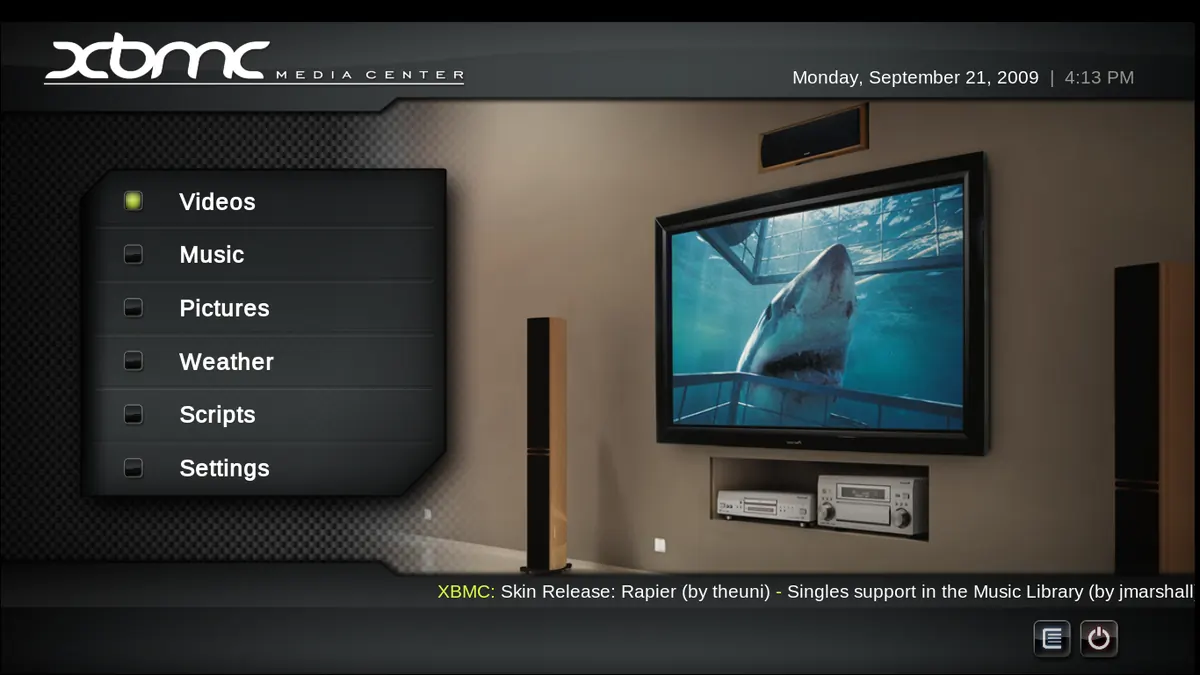
Kodi is the best-known media centre. With the PVR IPTV Simple Client add-on, it shows live TV with a guide alongside local media. It is powerful and customisable but takes more setup. See our Kodi Simple IPTV guide.
Web-upload TV apps
On some Samsung and LG TVs, apps display the TV's MAC address and you upload your playlist on the app's website. This avoids typing long addresses with a remote. Activation fees and availability vary. See our Smart IPTV guide.
General media players
VLC opens almost any stream or playlist on almost any device. It lacks a full guide but is ideal for testing whether a link works.
How many IPTV apps does a household need?
| Household | Typical app mix |
|---|---|
| One TV, one service | One player app |
| Several TVs and phones | Same player on TVs, a mobile-friendly player on phones |
| Free plus paid services | Broadcaster and FAST apps plus one player |
| Enthusiast | A player for daily viewing, VLC for testing, Kodi on a PC |
Using the same player on every TV keeps menus and favourites familiar.
Choosing between IPTV apps
- Check which types are available on your device.
- Confirm support for your login type and the guide.
- Try two candidates with the same login for a few days.
- Keep the one that is fastest and clearest with your remote.
Safety reminders
- Install from official stores.
- Check developers, permissions and update history.
- Avoid apps promising free premium channels.
- Keep login details private.
Common mistakes
- Expecting a player app to include channels.
- Using a different app on every TV, confusing the household.
- Paying for upgrades you do not need.
- Sideloading apps from unknown sources.
A worked example
A household with an Android TV box, a Samsung TV and two iPhones uses TiviMate on the box, a web-upload app on the Samsung TV and a mobile player on the phones, all with the same login. Later, they add a streaming stick to the Samsung TV so both TVs use TiviMate, simplifying everyday use.
Checklist
- Identify app types available for each device.
- Match login and guide support.
- Test two candidates.
- Standardise where possible.
- Install safely.
Key terms
- Player app: software that plays streams from a service you provide.
- Service app: a provider's own branded app.
- MAC address: a device identifier used by web-upload apps.
Using IPTV apps with Monster IPTV
Monster IPTV works with third-party players and can send login details in the format your app needs. See the supported devices page.
Free, paid and subscription apps
IPTV apps follow different business models. Some are completely free, some show adverts, some charge a one-time fee per device and others sell subscriptions for premium features. Remember that none of these payments buys channels; they pay for the software. Before paying, check whether the purchase covers one device or several, and whether features you need, such as multiple playlists or recording, are included.
Accessibility features
Some apps offer larger text, high-contrast themes, subtitle support and simple layouts. These matter for older viewers or anyone with visual impairments. Test them during a trial if they are important in your household.
Keeping apps updated and secure
Enable automatic updates where possible. Updates fix bugs, improve codec support and close security holes. Remove apps you no longer use, and review permissions occasionally.
Backing up settings
Several players let you export favourites and settings. Use this before resetting a device or moving to a new one, so you do not have to rebuild your channel list from scratch.
Frequently asked questions
What are the main types of IPTV apps?
Third-party players, service apps, media centres, web-upload TV apps and general media players.
Which IPTV apps are best for Android TV?
Third-party players such as TiviMate and IPTV Smarters Pro are popular; Kodi suits enthusiasts.
Do IPTV apps include channels?
Third-party players and media centres do not. Service apps show channels from the service you subscribe to.
Can I use different IPTV apps on different devices?
Yes, as long as each supports your login and you stay within your device limit.
Why do some TV apps need a MAC address?
Web-upload apps use it to link your playlist to the TV through their website.
Summary
IPTV apps come in several types: players, service apps, media centres, web-upload TV apps and general media players. Match the type to each device, test two candidates, standardise where you can and install only from official stores.