People who search for IP Smart IPTV are usually trying to work out how to play their IPTV login on a TV. Three common approaches come up again and again: TV-based apps such as Smart IPTV, Kodi with a PVR add-on, and dedicated IPTV players such as TiviMate or IPTV Smarters. Each has strengths and trade-offs. Monster IPTV is not affiliated with any of these developers.
This guide compares the three so you can choose. For setup details, see our Smart IPTV app guide and Kodi Simple IPTV guide.
The three approaches
| Approach | Typical devices | Strengths | Trade-offs |
|---|---|---|---|
| TV-based app (e.g. Smart IPTV) | Samsung, LG and other smart TVs | No extra device | Playlist often uploaded via a website; features depend on TV |
| Kodi with PVR IPTV Simple Client | Android TV, Fire TV, PCs | Very flexible, combines live TV with media library | More setup, steeper learning curve |
| Dedicated IPTV player | Android TV, Fire TV, Apple TV, phones | Purpose-built guide and menus, Xtream Codes support | Device availability varies; some features paid |
TV-based apps
Apps that run directly on a smart TV avoid buying a streaming device. Some, like Smart IPTV, require you to upload your playlist through the developer's website linked to your TV's MAC address, and may charge a one-time activation fee. Performance depends on the TV's processor and how well the app is maintained for your model.
Good fit: households who want no extra box and have a reasonably recent smart TV.
Kodi with a PVR add-on
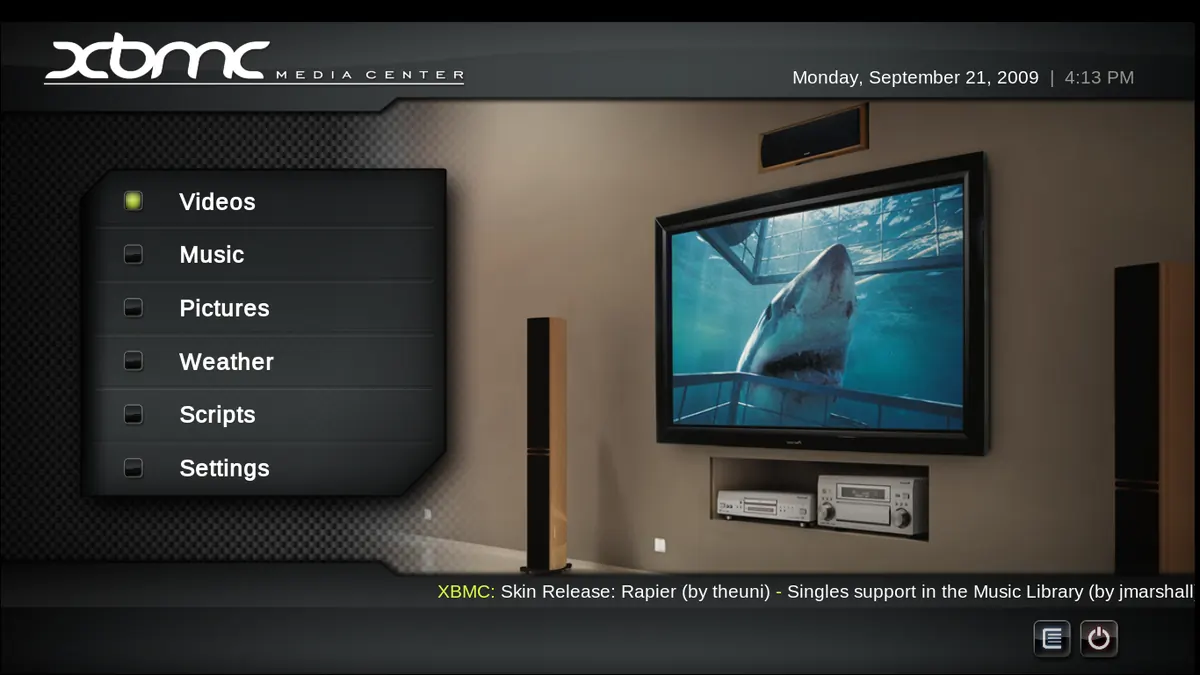
Kodi is a free, open-source media centre. With the official PVR IPTV Simple Client add-on, it can load an M3U playlist and an EPG, showing live TV alongside your own films and music. It's highly customisable but takes more time to set up and maintain.
Good fit: enthusiasts who want one interface for live TV and a personal media library.
Important: Kodi is legal, but many third-party add-ons provide unlicensed content. Use only the official add-on repository.
Dedicated IPTV players
Dedicated players are built around live TV: fast channel switching, programme guides, favourites, catch-up and support for Xtream Codes logins. They're available on most streaming devices and phones. Our best IPTV player guide compares options.
Good fit: most households, especially on Android TV, Fire TV or Apple TV.
Choosing by your situation
| Situation | Suggested approach |
|---|---|
| Smart TV only, no budget for a device | TV-based app |
| Already use Kodi for a media library | Kodi with PVR add-on |
| Want the simplest live TV experience | Dedicated player on a streaming device |
| Several TVs and phones | A dedicated player available on all of them |
| Older TV with slow apps | A streaming device with a dedicated player |
Login formats
- M3U playlist: supported by all three approaches.
- Xtream Codes: widely supported by dedicated players; less common in TV-based apps and Kodi's simple client.
- EPG link: often needed separately for M3U setups.
Performance tips
- Use Ethernet where possible.
- Keep apps and the TV's software updated.
- Turn on hardware decoding in players and Kodi.
- Large playlists load faster on newer devices.
Family use and ease of use
The best approach on paper isn't always the best for your household. TV-based apps keep everything on one remote, which suits viewers who dislike switching inputs. Dedicated players usually have the clearest live TV menus and favourites, which helps children and older viewers. Kodi is powerful but can confuse people who just want to change channel. If several people use the TV, let them try each option during a trial before you decide.
Costs to consider
- TV-based apps may charge a one-time activation fee per TV.
- Dedicated players may be free with optional paid features.
- Kodi is free, but you may want a more powerful device to run it smoothly.
- A streaming device is a one-off cost that often outlasts a smart TV's app support.
Mixing approaches
Many households use more than one approach: a dedicated player on the main TV's streaming stick, a TV-based app in the bedroom and Kodi on a PC for the media library. That's fine, as long as the total number of devices watching at once stays within your plan's limit.
Safety
- Install apps only from official stores and official repositories.
- Be wary of "preconfigured" Kodi builds and apps sold with channels.
- Don't share playlist links, which often contain your login.
Offers bundling an app with every channel for a tiny fee rarely hold the rights. This is general information, not legal advice; see is IPTV legal?.
Common mistakes
- Choosing an app before checking your login format.
- Installing Kodi builds from unknown sources.
- Expecting an older TV to handle large playlists smoothly.
- Paying activation fees before checking app compatibility.
A worked example
A household with an LG TV and a Fire TV Stick tries a TV-based app on the LG and a dedicated player on the Fire TV during a trial. The dedicated player switches channels faster and supports their Xtream login, so they use the Fire TV for the main TV and keep the TV app for the bedroom.
Checklist
- Check your login format.
- List your devices.
- Choose an approach that fits.
- Install from official sources.
- Test during a trial.
Key terms
- PVR IPTV Simple Client: Kodi's official add-on for M3U playlists.
- MAC address: a hardware identifier used by some TV apps.
- Xtream Codes: a login format with server, username and password.
About Monster IPTV
Monster IPTV works with third-party players on common devices. See supported devices.
Frequently asked questions
What does IP Smart IPTV usually mean?
Usually a search for ways to play an IPTV login on a TV, often including the Smart IPTV app.
Is using Kodi for live TV allowed?
Yes. Kodi is legal; third-party add-ons for unlicensed content are not.
Which approach is easiest?
For most people, a dedicated player on a streaming device.
Do TV-based apps support Xtream Codes?
Some do, many rely on M3U playlists; check before paying.
Can I use different approaches on different TVs?
Yes, as long as you stay within your service's device limit.
Summary
For IP Smart IPTV setups, choose between TV-based apps, Kodi with a PVR add-on and dedicated players based on your devices, login format and how much setup you want, and install only from official sources.