The best rack mount encoder for IPTV is not simply the one with the most channels. Rack encoders live in equipment rooms alongside servers, switches and receivers, often running around the clock. Density matters, but so do cooling, power redundancy, cable access, management and how quickly you can recover from a fault.
This guide explains the factors specific to rack-mount encoders and how to compare and test them.
Why rack-mount?
| Advantage | Why it matters |
|---|---|
| Consolidation | Many channels in one tidy location |
| Standard mounting | Fits 19-inch racks with other equipment |
| Better cooling design | Engineered airflow for continuous operation |
| Front-panel status | Quick visual checks |
| Redundancy options | Dual power supplies and network ports |
Rack units suit hotels, hospitals, campuses, stadiums and broadcast facilities.
Density: channels per rack unit
Encoders range from single-channel 1U units to multi-channel units with many inputs. Higher density saves space but concentrates risk: one failed unit can take several channels offline. Balance density against resilience, especially for critical channels.
1U versus 2U
| Height | Typical characteristics |
|---|---|
| 1U | Compact, more channels per rack; smaller fans can be louder |
| 2U | More space for cooling, inputs and power supplies |
Choose based on available rack space, channel count and noise tolerance.
Cooling and airflow
Check the unit's airflow direction (front-to-back is standard in most racks) and match it to your rack's hot and cold aisles. Leave space where the manufacturer recommends, monitor temperatures and keep filters clean. Overheating is a common cause of intermittent faults.
Power redundancy
Dual hot-swappable power supplies connected to separate circuits or UPS units protect against a single supply or circuit failing. For critical channels, this is often more valuable than extra channel density.
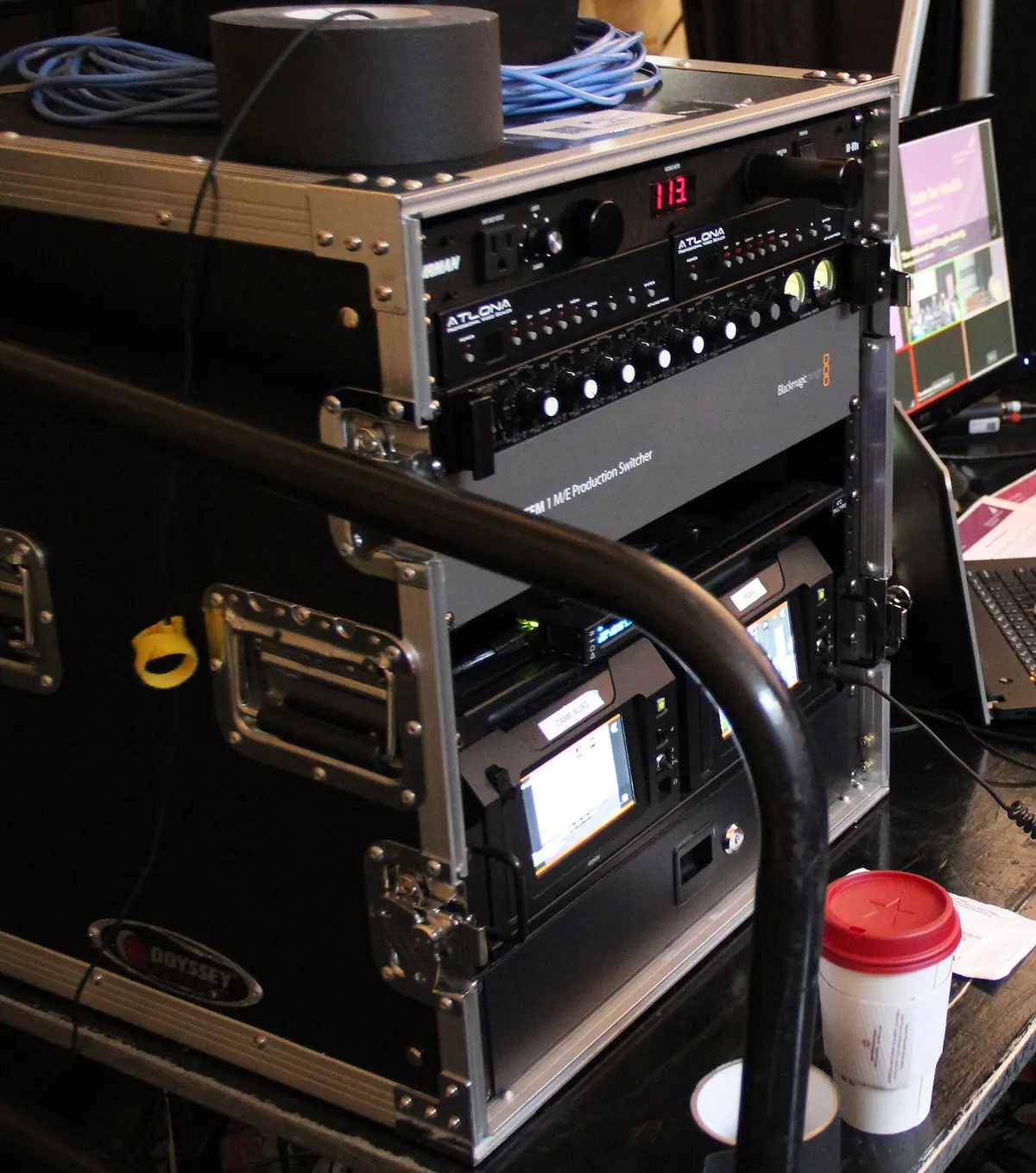
Inputs, outputs and access
- Inputs: HDMI, SDI or both; check connector placement on the rear.
- Network: dual ports for redundancy or separate management networks.
- Cable management: rear access space and strain relief for many cables.
- Front panel: status lights or display for quick checks.
Management and monitoring
The best rack mount encoder for IPTV offers a clear web interface, SNMP or API monitoring, configuration backup and restore, and remote firmware updates. Integration with your monitoring system means faults are noticed before viewers report them.
Comparing models fairly
Score shortlisted models on picture quality, density, cooling, power redundancy, management, support and total cost. Our best encoder for IPTV guide and the best 4 channel IPTV encoder article explain related trade-offs.
Testing in your rack
- Install the unit in its real rack position.
- Run all channels at planned settings for several days.
- Monitor temperature and fan noise.
- Pull one power supply to confirm redundancy.
- Restore a backed-up configuration to test recovery.
Common mistakes
- Choosing maximum density without considering failure impact.
- Ignoring airflow direction.
- Running dual supplies from the same circuit.
- No configuration backups.
A worked example
A hotel needs twelve local channels. Instead of one dense unit, it chooses three 4-channel 2U encoders with dual power supplies, splitting critical channels across units. When one unit later fails, only four channels drop, and a configured spare restores them within the hour.
Checklist
- Balance density with resilience.
- Choose 1U or 2U for space and cooling.
- Match airflow to your rack.
- Use dual power on separate circuits.
- Ensure strong management and backups.
- Test in the real rack before rollout.
Key terms
- Rack unit (U): a standard height of 1.75 inches in a 19-inch rack.
- Hot-swappable: replaceable without powering down.
- Hot and cold aisles: rack layouts that separate exhaust and intake air.
Planning rack space and layout
Map your rack before buying: where encoders, switches, receivers and patch panels will sit, how cables will run and where power distribution units go. Leave space for growth and for airflow. Group encoders that share a function, such as all channels for one building, and label everything on both front and rear.
Spares and service contracts
Keep at least one spare encoder configured with a backup of your settings for critical channels, or arrange a service contract with a guaranteed replacement time. Check how long the manufacturer typically supports models with firmware updates and spare parts.
Noise and location
Rack encoders with small fans can be loud. If the rack sits near offices or guest areas, check noise levels and consider 2U units with larger, quieter fans, or relocate the rack to a dedicated room.
Power planning
Calculate the total power draw of the rack, including encoders, switches and receivers, and size UPS units accordingly. Test that the UPS can carry the load long enough for a clean shutdown or for generators to start.
Documenting the installation
Record each encoder's position, inputs, outputs, addresses and firmware version in a shared document, along with photos of the rear cabling. Good documentation makes maintenance and replacements far faster.
Remote access for maintenance
Make sure engineers can reach the encoders' management interfaces remotely through a secure VPN, so many problems can be fixed without a site visit. Restrict access to an admin network and change default passwords.
Firmware discipline
Keep all encoders of the same model on the same firmware version, and test updates on one unit before rolling them out across the rack.
Frequently asked questions
What makes the best rack mount encoder for IPTV?
The right balance of density, cooling, power redundancy, management and picture quality for your system.
Should I choose 1U or 2U?
1U saves space; 2U often offers better cooling and more inputs. Choose based on your rack and channel needs.
Is dual power worth it?
For critical channels, yes, especially on separate circuits or UPS units.
How many channels should one unit carry?
Enough to save space without putting too many critical channels on a single point of failure.
How do I monitor rack encoders?
Use SNMP or API integration with your monitoring system and check front-panel status regularly.
Summary
The best rack mount encoder for IPTV balances density with resilience, keeps cool in your rack, offers dual power and strong management, and proves itself in a multi-day test in its real position. Plan for failures as carefully as for features.