When a hotel, office, hospital or apartment block plans its TV system, one of the first decisions is how to carry channels to each screen: over an IP IPTV network using Ethernet and switches, or over traditional coaxial cable with RF modulation. Both work, and many buildings use a mix. The right choice depends on existing cabling, channel numbers, features and budget.
This guide compares the two approaches. For how multicast IP delivery is configured, see our multicast IPTV encoder guide.
The two approaches
| Aspect | IP IPTV | Coaxial RF distribution |
|---|---|---|
| Cabling | Ethernet (often shared with data) | Coaxial cable |
| Headend output | Encoders sending IP streams | Modulators sending RF channels |
| Receiving | IP-capable TVs, decoders or apps | TV tuners |
| Channel capacity | Limited mainly by network bandwidth | Limited by RF spectrum |
| Interactive features | Menus, guides, on-demand, casting | Limited |
Cabling and installation
- IP IPTV uses structured Ethernet cabling, which many modern buildings already have. TV traffic can run on the same network as data, usually separated with VLANs.
- Coax suits buildings with existing coaxial runs to every room. Adding coax to a building without it is often more disruptive than adding Ethernet.
Channel capacity and quality
Coax capacity is limited by available RF spectrum and modulation choices. IP capacity depends on network bandwidth and multicast design; with gigabit networks and efficient codecs, adding channels is usually straightforward. Both can deliver HD; 4K is generally easier over IP with HEVC.
Features
IP systems can add:
- Branded welcome screens and channel menus.
- Programme guides and on-demand content.
- Casting from guests' phones in hotels.
- Integration with other building systems.
Coax systems mainly deliver linear channels to TV tuners.
Reliability considerations
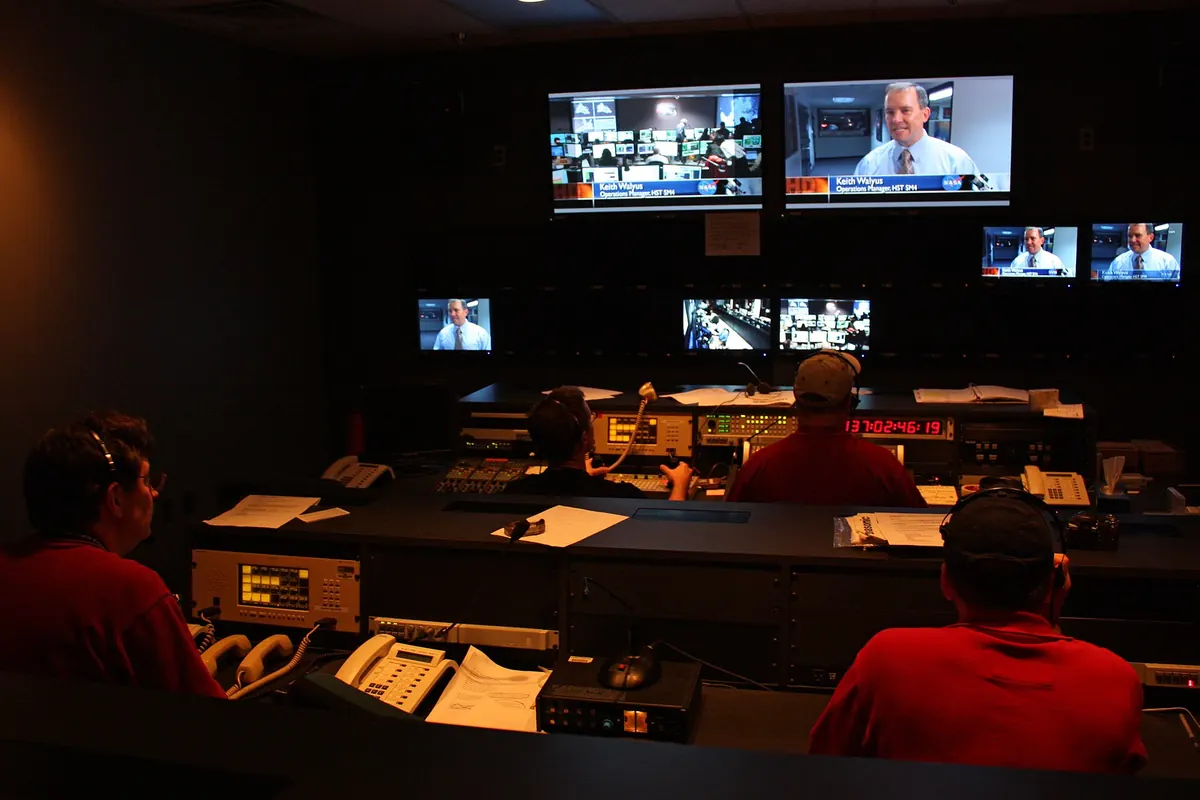
Coax is simple and robust, with few active components between headend and TV. IP systems depend on switches, configuration and network health; a misconfigured switch can affect many screens. Good design, with managed switches, IGMP snooping, a querier and documentation, makes IP systems reliable.
Costs
| Cost area | IP IPTV | Coax |
|---|---|---|
| Headend | Encoders, middleware | Modulators |
| Cabling | Often reuses Ethernet | Reuses coax, or new runs |
| Receivers | IP-capable TVs or decoders | Standard TV tuners |
| Ongoing | Network maintenance, software | Simpler maintenance |
Total cost depends heavily on what already exists in the building.
Hybrid systems
Many buildings combine both: coax to existing rooms for basic channels, IP for new areas, premium features or 4K. Some headends output both RF and IP from the same sources, allowing a gradual transition.
Choosing for your building
| Situation | Often suits |
|---|---|
| New build with structured cabling | IP IPTV |
| Older building with coax everywhere | Coax, possibly hybrid |
| Hotel wanting interactive features | IP IPTV |
| Small office with a few screens | IP decoders or smart TV apps |
| Apartment block with shared satellite | Coax distribution, sometimes with IP additions |
Network design essentials for IP IPTV
If you choose IP, plan the network carefully:
- Use managed switches with IGMP snooping on every switch carrying TV.
- Configure an IGMP querier, usually on a core switch.
- Put TV traffic on its own VLAN, separate from guest Wi-Fi and office data.
- Size uplinks for the channels that may be watched at once.
- Document multicast addresses, ports and VLANs.
These steps prevent the most common IP TV problem: multicast flooding that slows the whole network.
Upgrade paths
Coax systems can be upgraded with new modulators and digital channels, but capacity and features remain limited. IP systems can add channels, 4K, apps and integrations through software and encoder upgrades. If a building expects to modernise over the next decade, IP often offers a clearer path, even if coax remains in use for a while.
Common mistakes
- Running IP TV on a network without multicast configuration.
- Replacing working coax unnecessarily.
- Ignoring receiver compatibility.
- Forgetting licences for distributing channels to residents or guests.
A worked example
A 1990s hotel with coax to every room wants a branded menu and casting. Rather than rewiring, it keeps coax for basic channels and adds IP to rooms being renovated, using a headend that outputs both. As renovation continues, rooms move to IP until the coax system can be retired.
Checklist
- Survey existing cabling.
- Count channels and features needed.
- Check receiver compatibility.
- Compare total costs.
- Consider a hybrid transition.
Key terms
- RF modulation: placing channels on radio frequencies over coax.
- Headend: where channels are received and processed for distribution.
- VLAN: a logical separation of network traffic.
Licensing reminder
Distributing broadcast channels to guests, patients or residents usually requires appropriate licences. Check with rights holders or a qualified adviser. This is general information, not legal advice.
Questions for installers
Ask installers which TV models they have deployed on IP systems, how they configure multicast, how channels are monitored, what happens during a switch failure and how quickly they respond to faults. Ask for references from similar buildings. Clear answers to these questions indicate an installer experienced with IP IPTV rather than only with coax.
Planning for the future
Whichever route you choose, leave spare capacity: extra encoder inputs, switch ports and uplink bandwidth make later upgrades far easier and cheaper.
Maintenance in practice
IP systems benefit from regular checks: review encoder status pages, confirm switch configurations after any change, update TV and decoder firmware in a controlled way and keep configuration backups. Coax systems need fewer checks but still benefit from periodic signal level tests at the furthest outlets.
Frequently asked questions
What is IP IPTV in a building?
Delivering TV channels over the building's IP network to IP-capable TVs, decoders or apps.
Is IP better than coax?
It offers more features and easier scaling; coax is simple and robust where cabling exists.
Can both systems run together?
Yes. Hybrid systems are common during transitions.
Do I need special switches for IP TV?
Managed switches with IGMP snooping are recommended for multicast.
Which is cheaper?
It depends on existing cabling and receivers.
Summary
IP IPTV and coax distribution both deliver TV in buildings. IP offers interactive features and scalability; coax offers simplicity where cabling exists. Survey your building, compare total costs and consider a hybrid path. See our hotel IPTV planning guide for a full system view.