People searching VeCASTER hotel IPTV are usually hotel engineers, integrators or managers looking at encoder-based equipment to deliver TV channels to guest rooms. VeCASTER is a product name used for professional IPTV encoding equipment. Monster IPTV is not affiliated with its manufacturer, and we do not describe specific models, prices or features here; the manufacturer's datasheets and authorised integrators are the right sources for that.
What this guide covers is the bigger picture: how a hotel IPTV system fits together, where encoders sit in it, and what to plan so guests get a reliable TV experience.
How a hotel IPTV system fits together
| Part | Role |
|---|---|
| Content sources | Satellite receivers, off-air tuners, media players, in-house cameras |
| Encoders | Convert sources into IP streams, often multicast |
| Headend and middleware | Channel list, branding, welcome screen and management |
| Network | Switches and cabling that carry streams to rooms |
| Room devices | Smart TVs with IPTV support, or set-top boxes |
Encoders are the point where traditional video becomes network traffic. Whether you consider VeCASTER hotel IPTV equipment or another brand, the encoder must fit the rest of the chain. Our IPTV headend guide explains the full chain.
Step 1: define the channel line-up
Start with what guests want to watch:
- Local and national channels for the hotel's country.
- International news channels for overseas guests.
- Sports channels, if your guests expect them.
- An in-house information channel for hotel services.
Count the channels; this drives how many encoder inputs you need. Leave room for a few more.
Step 2: check room TVs
Hotel-mode TVs from major brands often support IPTV multicast directly. Older TVs may need a set-top box in each room. Check:
- Which codecs the TVs decode, typically H.264 and sometimes HEVC.
- Whether they support the multicast format your encoders output.
- Whether a welcome screen or channel list can be managed centrally.
Test one TV model fully before ordering encoders in quantity.
Step 3: design the network
- Use managed switches with IGMP snooping so multicast reaches only rooms that request it.
- Configure an IGMP querier on the network.
- Separate TV traffic from guest Wi-Fi and office traffic with VLANs.
- Calculate bandwidth: number of channels multiplied by bitrate per channel, on each uplink.
Step 4: plan the equipment room
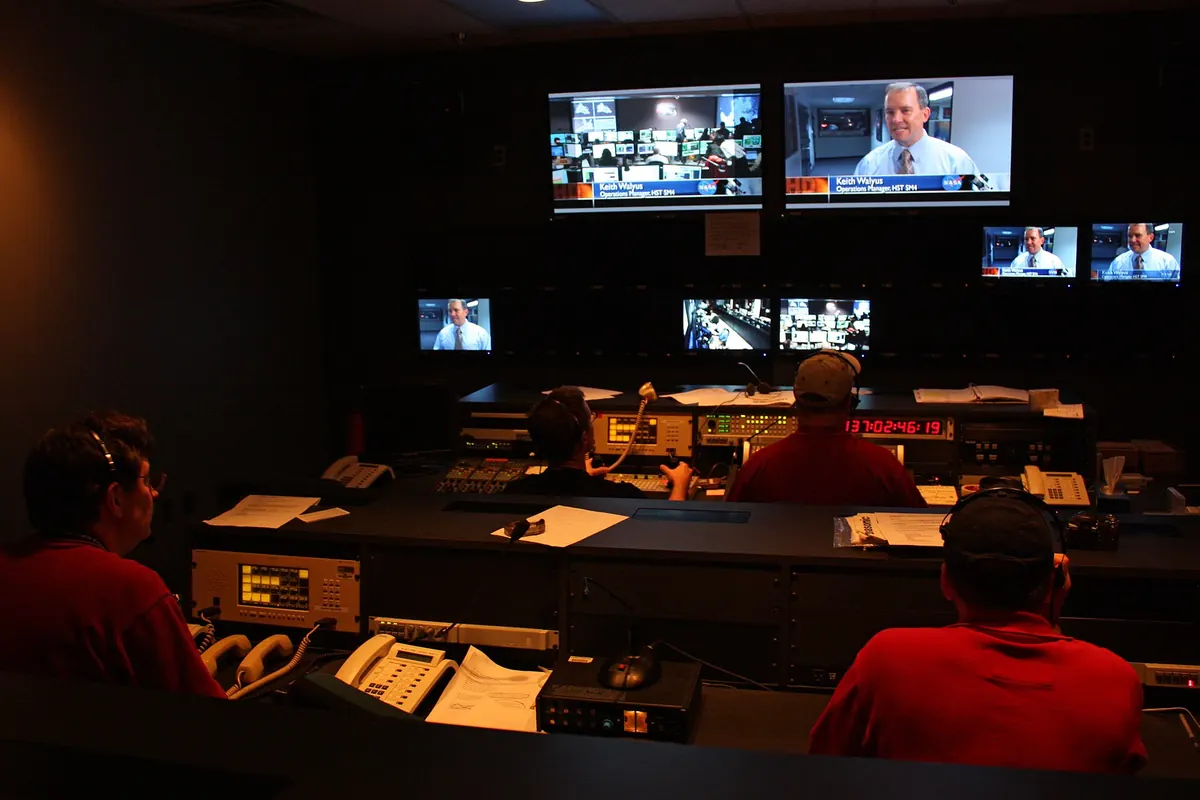
Encoders are usually rack mounted in a secure room with power protection and cooling. Plan for a UPS, redundant power where available and clear labelling. Our guide to rack mount IPTV encoder installation covers this in detail.
Step 5: the guest experience
Technology matters only if guests find it easy:
- Fast channel changes: multicast on a well-designed network keeps switching quick.
- A clear channel list: sort channels logically, with local channels first.
- Correct guide data: check that schedules match each channel.
- Simple remotes: avoid menus that confuse guests.
- Casting options: many guests want to cast from their phones; consider a secure casting solution if your system supports it.
Step 6: licences
Showing TV channels to hotel guests usually requires agreements with broadcasters, rights holders or collecting societies, depending on the country. Requirements vary, so check with the relevant organisations or a qualified adviser. This is general information, not legal advice.
Step 7: maintenance and support
- Back up encoder and middleware configurations.
- Monitor encoders for input loss and alarms.
- Keep firmware updated during quiet hours.
- Train staff to handle simple guest questions.
- Agree response times with your integrator or vendor.
Budgeting a hotel IPTV project
Costs extend well beyond the encoders. Plan for content sources such as receivers, middleware licences, managed switches, cabling, room TVs or set-top boxes, installation labour, broadcaster or rights agreements and ongoing support. Phasing the project, for example one floor at a time, can spread costs and lets you learn from the first phase before rolling out across the hotel.
Upgrading an existing system
Many hotels upgrade from coaxial distribution. Some keep the coaxial network for a transition period while IPTV is introduced floor by floor. Check whether existing TVs can be reused in IPTV mode before replacing them.
Comparing options
When comparing VeCASTER hotel IPTV equipment with alternatives, use the same checklist: number of inputs, codecs, multicast support, management, power, compatibility with your TVs and vendor support. Our guide to reading an encoder datasheet, PVI encoder IPTV, explains what to look for line by line.
Common mistakes
- Ordering encoders before testing room TVs.
- Running multicast on unmanaged switches.
- Mixing TV traffic with guest Wi-Fi.
- Forgetting licences for public viewing.
- Skipping configuration backups.
A worked example
A 150-room hotel wants 30 channels. The engineer counts sources, checks that its hotel-mode TVs decode H.264 multicast, and shortlists encoders, including VeCASTER hotel IPTV equipment, against the same requirements. After testing one encoder with three TV models on a managed switch with IGMP snooping, they finalise the design, install the encoders in a rack with UPS and dual power, and set up monitoring alarms.
Checklist
- Define the channel line-up.
- Confirm room TV compatibility.
- Design a managed multicast network.
- Plan the equipment room.
- Arrange licences.
- Set up monitoring and backups.
Key terms
- Hotel-mode TV: a TV model designed for hotels with central management.
- Middleware: software that manages channels, menus and branding.
- IGMP snooping: a switch feature that limits multicast to ports that request it.
- VLAN: a way to separate network traffic logically.
Frequently asked questions
What is VeCASTER hotel IPTV?
A search for hotel IPTV systems built around VeCASTER encoding equipment. Check the manufacturer's resources for current models.
Is Monster IPTV affiliated with VeCASTER?
No. Monster IPTV has no affiliation with the manufacturer.
Do hotel TVs need set-top boxes?
Not always. Many hotel-mode TVs support IPTV directly; older models may need boxes.
Why do hotels use multicast?
One stream per channel serves every room that watches it, saving bandwidth.
Do hotels need licences to show TV?
Usually yes. Requirements vary by country, so check with rights holders or a qualified adviser.
Summary
Planning a VeCASTER hotel IPTV system, or any hotel IPTV system, starts with the channel line-up and room TVs, then moves to encoders, network design, the equipment room, guest experience, licences and maintenance. Testing with real TVs before ordering in quantity avoids the most expensive mistakes.