If you are looking for the best VPN for IPTV, start with a more basic question: do you need one at all? A VPN (virtual private network) encrypts your internet traffic and routes it through a server elsewhere. That can improve privacy on your network, but it also adds overhead that can affect streaming, and it does not change the laws that apply to you.
This guide explains what a VPN actually does for IPTV, the features that matter when choosing one, and how to set it up without hurting picture quality. We deliberately do not rank specific brands; features and performance change, so use the criteria below to compare current options.
What a VPN does, and what it does not
| A VPN can | A VPN cannot |
|---|---|
| Encrypt traffic between your device and the VPN server | Make unauthorised content authorised |
| Hide which sites and services you connect to from your broadband provider | Guarantee faster or smoother streaming |
| Help on public Wi-Fi in hotels or cafés | Fix a weak Wi-Fi signal or a slow connection |
| Change the region your traffic appears to come from | Change the law that applies to you |
Some IPTV providers and streaming services restrict VPN connections, so a VPN can also cause playback to fail. Check with your provider before relying on one.
When a VPN might help with IPTV
- Privacy on shared or public networks. On hotel or café Wi-Fi, encryption protects your traffic from others on the same network.
- Network interference. Some users report that their broadband provider slows certain types of traffic. A VPN can sometimes help, though results vary.
- Travel. When you are away from home, a VPN may help you reach services you use, subject to their terms and local law.
When a VPN is unnecessary or unhelpful
- If streams are already smooth, a VPN adds encryption overhead with no playback benefit.
- If your problem is weak Wi-Fi or an overloaded router, a VPN will not fix it and may make it worse.
- If your provider blocks VPN connections, it will stop playback altogether.
How to choose the best VPN for IPTV
When comparing providers, focus on these features.
Speed and modern protocols
Encryption costs some speed. VPNs that support modern protocols such as WireGuard typically have lower overhead than older options. Look for independent speed tests and, ideally, a trial or money-back period so you can test on your own connection.
Server locations near you
Connecting to a nearby server usually gives the best speed and lowest latency. A large network is less important than having fast servers close to where you are.
Apps for your devices
Check for native apps on the devices you watch on. Fire TV and Android TV usually have VPN apps available in their app stores. Many smart TVs do not, which is where router-level VPNs come in.
Router support
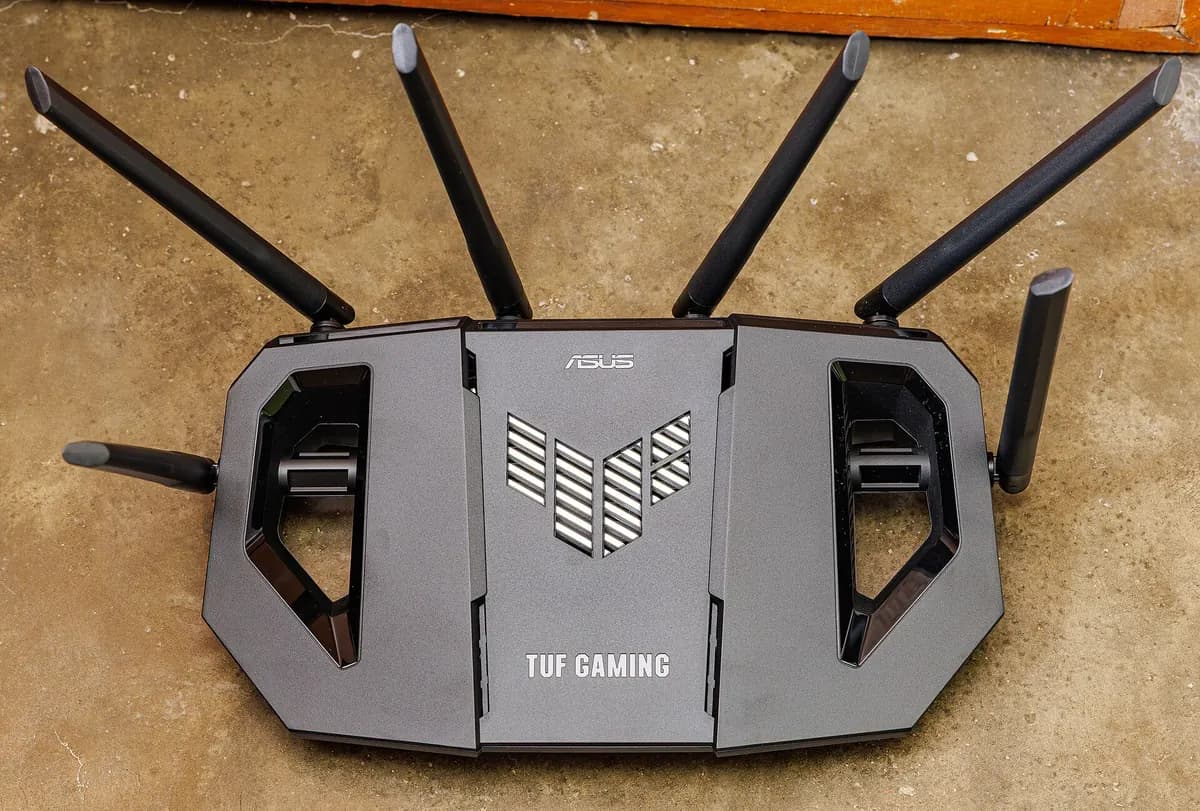
Installing a VPN on a compatible router protects every device on your network, including smart TVs that cannot run VPN apps. It also means every device shares the VPN's overhead, so it is not right for everyone.
Split tunnelling
Split tunnelling lets you choose which apps use the VPN. That way, your IPTV player can use it while other apps connect normally, or the other way round.
Privacy policy and transparency
Read how the VPN handles logs and data. Independent audits and a clear, readable privacy policy are good signs.
Setting up a VPN for IPTV on a Fire TV Stick
- Install the VPN app from the Amazon Appstore.
- Sign in and connect to a server close to you.
- Open your IPTV player and test several channels.
- If playback is worse, try a different nearby server or protocol, or disconnect the VPN.
See our IPTV Firestick guide for the rest of the setup.
Testing whether a VPN helps
Compare playback with and without the VPN at the same time of day:
- Time how long channels take to open.
- Note any buffering over 15 to 20 minutes of viewing.
- Check picture sharpness on your largest screen.
If the VPN does not clearly improve things, you may be better off without it. Our guide to IPTV streaming quality covers other ways to improve playback.
The legal point
A VPN does not change the law. Whether a service is lawful depends on content rights and your local rules, and using a VPN does not alter that. Read our guide on whether IPTV is legal for more context.
Monster IPTV and VPNs
VPN compatibility has not been confirmed for Monster IPTV. If you plan to use one, ask support before ordering, and use the free trial to test playback with and without it. You can reach support through the contact page.
Frequently asked questions
Does a VPN make IPTV faster?
Usually not. Encryption adds overhead, so a VPN often makes streaming slightly slower. It can occasionally help if your broadband provider slows certain traffic, but that varies.
Will a VPN reduce buffering during live sport?
Rarely. Buffering during busy live events is usually caused by congestion at the source, on your Wi-Fi or on your broadband line. A VPN adds encryption overhead, so it is more likely to add delay than remove it. Fix the home network first.
Can I use a free VPN for IPTV?
Free VPNs often have data caps, slower servers and less clear privacy practices. For video streaming, these limits usually make them a poor choice.
Should I install a VPN on my router?
Only if you want every device protected and are comfortable with the shared speed overhead. For most people, an app on the streaming device itself is simpler.
Why does my IPTV stop working with a VPN on?
Some providers block traffic from VPN servers. Try a different server or protocol, and ask your provider whether VPN connections are supported.
Conclusion
The best VPN for IPTV is fast, has servers near you, supports your devices and is transparent about privacy. But many viewers do not need a VPN at all. Test with and without one, check with your provider, and remember that a VPN does not change the law where you live.