When people think of applications IPTV users need, they usually picture a player app. Players are the centre of the experience, but many viewers also rely on other tools: programme guide utilities, playlist editors, remote control apps, network testers, recording tools and media centres. Choosing a few well-made tools can make everyday viewing smoother.
This guide maps the wider toolkit and explains how to use it safely. For players themselves, see our IPTV apps comparison and best IPTV player guide.
The toolkit at a glance
| Tool type | What it does |
|---|---|
| Player | Plays live channels and on-demand content |
| Guide (EPG) tools | Load, merge or match programme guide data |
| Playlist editors | Reorder, rename and clean channel lists |
| Remote apps | Control TVs and streaming devices from a phone |
| Network testers | Check speed, latency and Wi-Fi quality |
| Media centres | Combine IPTV with local media and add-ons |
| File managers | Manage local playlists and downloads on TV boxes |
Guide tools
Players display guide data from XMLTV files. Some tools help merge several guide sources or match channel IDs so that more channels show schedules. For most viewers, a guide link from the provider is enough; tools are useful when combining public playlists.
Playlist editors
Editors tidy long lists: hide groups, reorder channels and fix logos. Our IPTV editor guide explains how to use them without exposing your login.
Remote and keyboard apps
Official remote apps for TV platforms let you type with your phone's keyboard, which makes entering logins and searching far easier. Install them from official stores; they come from the TV or platform maker.
Network testers
Speed test and Wi-Fi analyser apps help you understand buffering:
- Test speed at the TV's location, not just next to the router.
- Check which Wi-Fi channels nearby networks use.
- Compare results on Wi-Fi and Ethernet.
Media centres
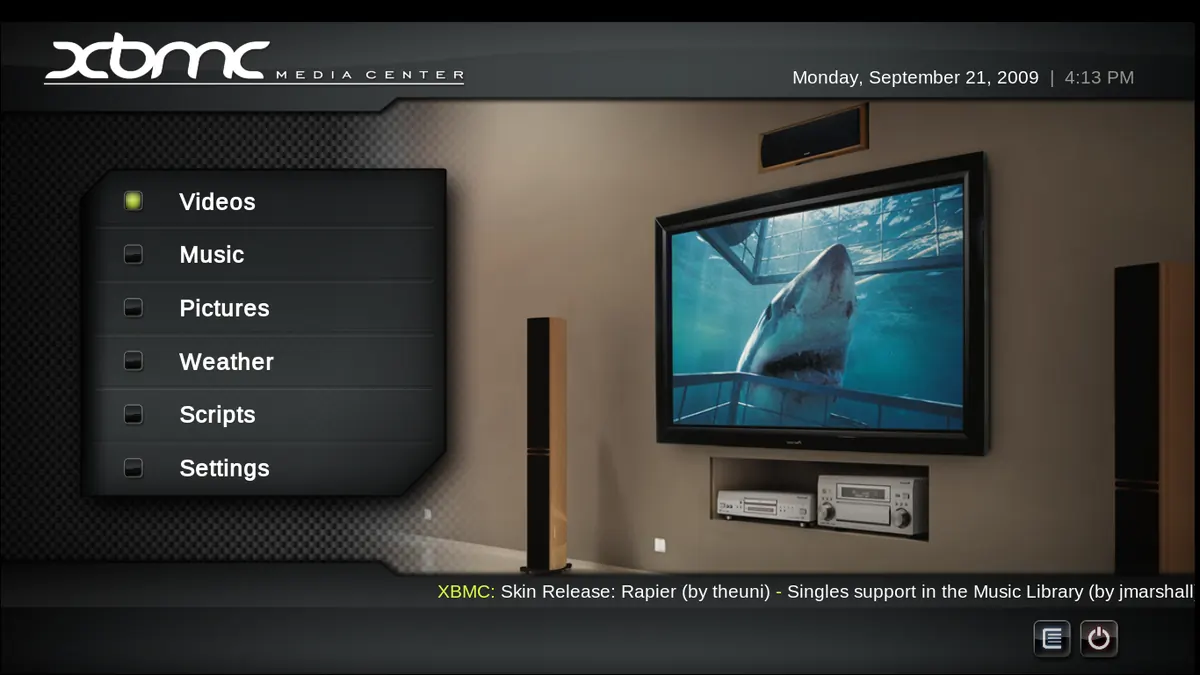
Media centres such as Kodi combine IPTV through a PVR client with local films, music and photos. They are powerful but take more setup. Be cautious with third-party add-ons: install only those from trusted repositories and avoid add-ons that offer unlicensed content.
Recording tools
Some players and media centres can record to local storage, depending on device, storage and your service's terms. Cloud recording is offered by some licensed TV services instead.
File managers
On Android TV boxes, a file manager helps manage local playlist files and clear space. Use a reputable one from the official store.
Safety rules for any tool
- Install from official stores where possible.
- Check the developer and recent reviews.
- Grant only necessary permissions.
- Avoid tools promising free premium content.
- Remove tools you no longer use.
Our guide to app IPTV privacy and security covers permissions in detail.
Building a sensible setup
| Viewer | Suggested tools |
|---|---|
| Casual viewer | One player and the platform's remote app |
| Enthusiast | Player, playlist editor, guide tool, network tester |
| Home media fan | Media centre with PVR client, file manager |
| Troubleshooter | Network tester and Wi-Fi analyser |
Keeping devices lean
Every extra app uses storage and sometimes memory in the background. On streaming sticks with limited storage, too many tools slow menus and playback. Review installed apps every few months, remove those you have not used, and clear caches for the ones you keep. A lean device often performs better than one with every possible utility installed.
Accessibility tools
Some platforms offer screen readers, magnification, high-contrast modes and caption styling. These are built into many TV systems and phones rather than separate apps. Check the accessibility settings of your device before installing third-party tools, and test whether your player respects caption and text-size preferences.
Family and parental tools
Parental controls exist at several levels: the device, the app store and the player. Set a PIN for app installation and purchases on shared devices, enable profiles where available and lock categories in your player. Using all three layers gives better protection than relying on one.
Backup and sync
Some players can back up settings, playlists and favourites to a file or cloud storage. Use this feature where available, and keep backups private because they may contain your login. Restoring a backup saves time when you replace a device.
Common mistakes
- Installing many tools that duplicate each other.
- Using media centre add-ons from unknown repositories.
- Granting broad permissions to utilities.
- Forgetting to remove unused apps, which slows devices.
A worked example
A viewer struggles to type their login on a TV box. They install the platform's official remote app, type the details from their phone and then use a Wi-Fi analyser to discover their router shares a crowded channel with neighbours. Changing the router's channel reduces buffering.
Checklist
- Start with one reliable player.
- Add a remote app for typing.
- Use network testers for buffering.
- Add editors or guide tools only if needed.
- Remove unused tools.
Key terms
- PVR client: a component that adds live TV to a media centre.
- XMLTV: a programme guide file format.
- Wi-Fi analyser: a tool showing nearby networks and channels.
Monster IPTV
Monster IPTV works with third-party players and tools from official stores. Support can recommend apps for your device; see the supported devices page.
A starter kit
For most homes, a reliable player, the platform's official remote app and a speed test app cover nearly every need.
Frequently asked questions
What applications IPTV viewers need besides a player?
Often a remote app, and sometimes a network tester, playlist editor or guide tool.
Are media centres worth it?
For home media fans, yes; casual viewers may prefer a simple player.
Are third-party add-ons safe?
Only from trusted repositories; avoid those offering unlicensed content.
How do I type my login more easily?
Use the TV platform's official remote app with your phone's keyboard.
Do I need a speed test app?
It helps diagnose buffering, especially at the TV's location.
Summary
The applications IPTV viewers rely on go beyond players: remote apps, network testers, editors, guide tools and media centres. Choose a few well-made tools from official stores, grant minimal permissions and remove what you do not use.