Searches for telenor iptv usually come from customers of the Nordic telecom group Telenor, or people considering it, who want to understand how TV over their broadband connection works. Monster IPTV is not affiliated with Telenor and does not provide its services. Product names, packages and equipment change over time, so always check the operator's official website and customer support for current details.
This guide explains, in general terms, how operator TV over broadband works at home, what to consider if you use your own router and how to fix common problems. For a Swedish-language explanation of fibre TV, see IP TV Sverige.
How operator TV over broadband works
Operator TV is a managed IPTV service. The operator receives channels, encodes them and sends them through its own network to your home, separate from ordinary internet traffic.
| Component | Role |
|---|---|
| Operator TV platform | Receives and distributes channels |
| Managed network | Carries TV with priority over normal traffic |
| Router or gateway | Connects your home network to the operator |
| TV box or app | Receives channels and shows them on screen |
Because the operator controls the network path, managed IPTV is often more stable than streaming over the open internet.
Multicast and why routers matter
Live channels in operator networks often use multicast: one stream is shared by everyone watching the same channel. Routers handle multicast using a protocol called IGMP. Operator-supplied routers are configured for this automatically. If multicast is not handled properly, you may see:
- Channels that freeze after a few seconds.
- Black screens on live channels while on-demand works.
- The whole home network slowing when TV is on.
Some operators also separate TV traffic using a dedicated VLAN or a specific router port for the TV box.
Using your own router
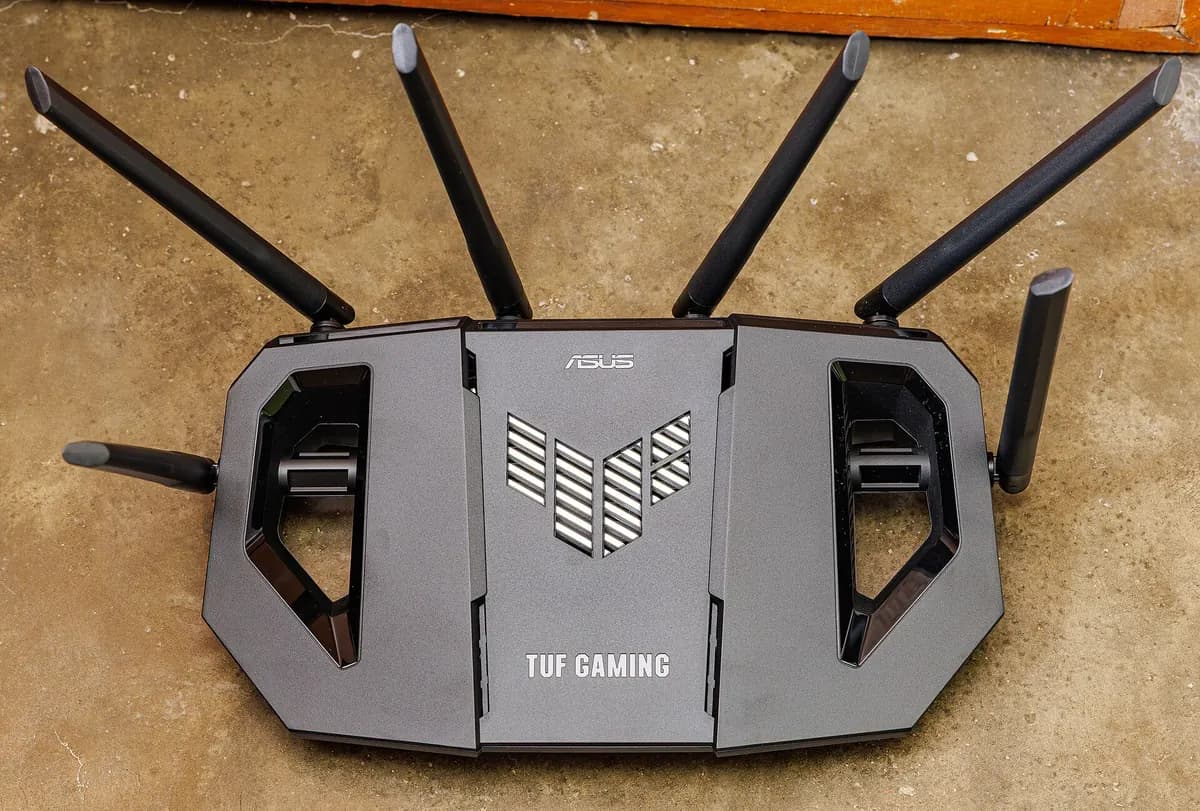
Many people want to replace the operator's router with their own for better Wi-Fi or features. Before doing so:
- Check whether your operator allows your own router for TV.
- Ask which settings are needed: VLAN, IGMP proxy or snooping, specific ports.
- Check whether your router supports those settings.
- Keep the operator's equipment until everything works.
Alternatively, keep the operator's router and add your own Wi-Fi system behind it, or use a mesh system in access-point mode. This often gives better Wi-Fi without breaking TV.
Connecting the TV box
- Use an Ethernet cable from the router to the TV box.
- Use the port the operator specifies, if any.
- Avoid Wi-Fi for operator TV boxes unless the operator explicitly supports it.
- Powerline adapters can work, but check compatibility with multicast.
Common problems and fixes
| Problem | Possible cause | Fix |
|---|---|---|
| Live channels freeze | Multicast or IGMP issue | Restart router; check own-router settings |
| Black screen on some channels | Wrong port or subscription | Check port; contact the operator |
| Guide not loading | Box updating or network issue | Restart the box |
| TV stopped after router change | Missing VLAN or IGMP settings | Restore operator router or configure settings |
| Picture breaks up on Wi-Fi | Wi-Fi not suitable | Use a cable |
Operator apps on your own devices
Many operators provide apps that let you watch some channels on phones, tablets and streaming devices. Content in apps may differ from the TV box because of rights. Check which channels are available in the app and whether they work outside the home.
Diagnosing before calling support
Operator support can help faster if you give clear information. Before calling, note:
- Which channels are affected: all live channels, some or only on-demand.
- Whether the problem started after a change, such as a new router, cable or power cut.
- Whether the TV box is on Ethernet and which router port it uses.
- Any error code shown on screen.
- Whether the operator's app works on a phone on the same network.
If the app works but the TV box does not, the problem is likely inside the home network or the box. If nothing works, the problem may be in the operator's network or your broadband line.
Moving or changing operator
When moving, check whether TV service is available at the new address and whether equipment needs to be returned. When changing operator, check notice periods and return rules to avoid fees.
Common mistakes
- Replacing the router without checking TV requirements.
- Putting the TV box on Wi-Fi.
- Assuming the app has the same channels as the box.
- Forgetting to return rented equipment.
A worked example
A household replaces their operator router with a new Wi-Fi 6 router and live TV starts freezing. They put the operator router back as the main device and set the new router to access-point mode for Wi-Fi only. TV works again and Wi-Fi coverage improves.
Checklist
- Check current products on the operator's official site.
- Keep the TV box on Ethernet.
- Check requirements before changing routers.
- Know how multicast affects TV.
- Contact operator support with specific errors.
Key terms
- Managed IPTV: TV delivered over an operator's own network.
- IGMP: the protocol routers use to handle multicast.
- VLAN: a separate virtual network, sometimes used for TV traffic.
About Monster IPTV
Monster IPTV is an independent service used with third-party players and is not connected to any operator. For router and network basics, see our guide to your TV IP address.
Keep a note of your settings
Write down router settings that TV depends on, so they can be restored after a reset.
Frequently asked questions
What is telenor iptv?
Generally, TV delivered over Telenor's broadband network in markets where it offers TV; check the operator's site for current products.
Is Monster IPTV part of Telenor?
No. Monster IPTV has no affiliation with Telenor.
Can I use my own router with operator TV?
Sometimes; check the operator's requirements for VLAN, IGMP and ports first.
Why do live channels freeze after a router change?
Often because multicast or VLAN settings are missing on the new router.
Can I connect the TV box over Wi-Fi?
Usually not recommended; operator TV boxes work best on Ethernet.
Summary
Searches for telenor iptv usually concern operator TV over broadband. Keep the TV box on Ethernet, understand multicast, check requirements before changing routers and use the operator's official support for current products.