A public IPTV playlist is a list of links to TV streams that broadcasters or other organisations make freely available on the internet. Community projects gather these links into M3U playlists, sorted by country, language or category, so they can be opened in an IPTV player. The best-known example is the open-source iptv-org project on GitHub.
Public playlists can be a useful way to explore free-to-air channels from around the world. They also have real limits, and not every list that calls itself "public" is legitimate. This guide explains how they work, how to use them safely and what to watch out for.
How public IPTV playlists work
Many broadcasters stream some of their channels openly on their websites, often for news, regional or international audiences. A public IPTV playlist collects the direct addresses of those streams in M3U format, so a player can show them as a channel list.
The playlist itself does not host any video. It is simply a text file of links. If a broadcaster changes or removes a stream, the link stops working until the playlist is updated. Our guide to M3U IPTV explains the file format.
The iptv-org project on GitHub
iptv-org is a community-maintained, open-source collection of links to publicly available IPTV channels from around the world, hosted on GitHub. Its playlists are generated automatically and grouped in several ways, including by country, category and language. The project states that it does not store video files, and it provides a process for rights holders to request the removal of links.
Related tools from the same community, sometimes found by searching for a "GitHub IPTV checker", test whether links in a playlist are online, which helps keep lists usable.
| Feature | What it means for you |
|---|---|
| Grouped playlists | Load only the countries or categories you want |
| Open source | Anyone can see how lists are built and suggest fixes |
| Automatic updates | Lists change as streams appear and disappear |
| Removal process | Rights holders can ask for links to be taken down |
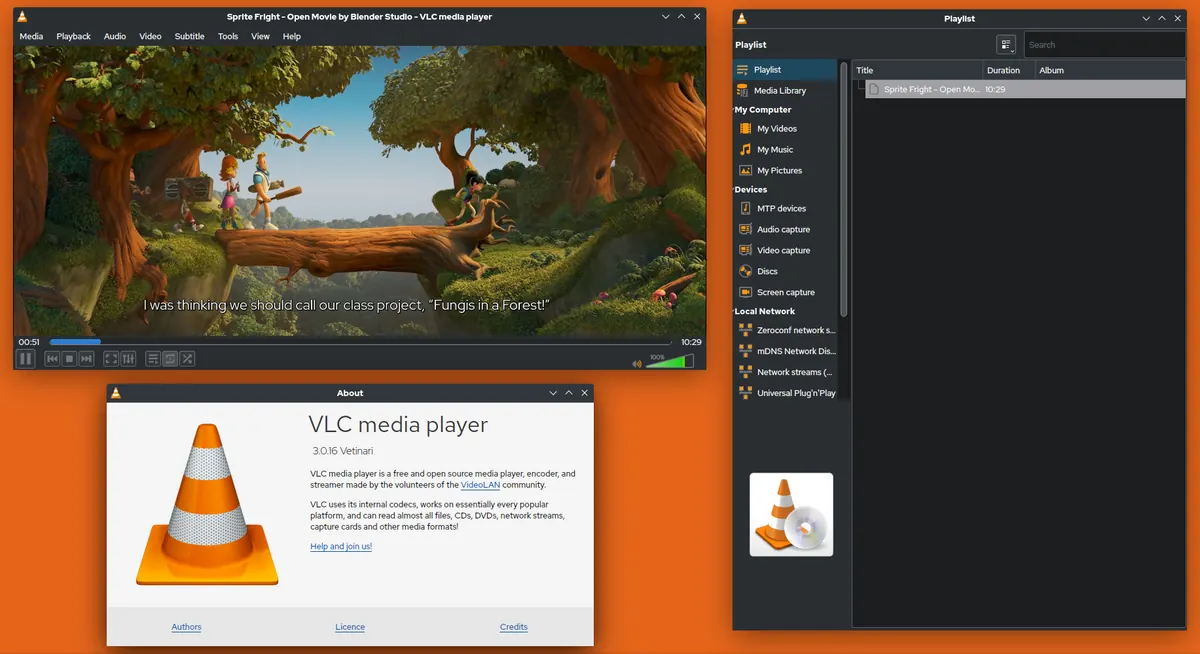
How to open a public IPTV playlist in VLC
VLC is a quick, free way to try a public playlist on a computer:
- Open VLC and choose Media, then Open Network Stream.
- Paste the playlist link from the project's official page.
- Press Play, then open the playlist view to browse channels.
You can also add a public playlist to most IPTV players as an M3U link. Smaller, country-specific lists load much faster than global ones on TVs and streaming sticks.
The limits of public playlists
Public lists are free, but they are not a like-for-like replacement for a subscription:
- Availability changes constantly. Streams go offline, move or become geo-restricted, so some links will always be broken.
- Geo-blocking. Many broadcasters restrict streams to viewers in their own country.
- Quality varies. Resolution, reliability and audio sync differ from channel to channel.
- Limited programme guides. EPG data may be missing or incomplete for many channels.
- No support. If a channel stops working, there is nobody to contact.
Legitimate lists versus unofficial "free" lists
A genuine public IPTV playlist focuses on streams that broadcasters make openly available. Many other lists circulating online, often advertised as "free premium" or "popular" playlists, include paid channels that are very unlikely to be authorised. Those carry legal, security and reliability risks.
Quick ways to tell the difference:
- Premium channels are a red flag. If a free list includes subscription sports or film channels, treat it as unauthorised.
- Check the source. Prefer well-known, transparent projects with public code and a removal process.
- Avoid lists that require installing unknown apps or visiting pop-up-heavy websites.
Our guides to free IPTV and IPTV legality explain the risks in more detail.
Staying safe with public IPTV playlists
- Get playlist links only from the project's official pages.
- Use reputable players such as VLC, Kodi or established IPTV apps from official stores.
- Do not enter personal or payment details anywhere to access a free list.
- Remember that local rules on TV licences can still apply to live TV, even when streams are free.
Using a public IPTV playlist on a TV
Large global playlists can contain thousands of entries, which is slow to load and hard to browse on a TV remote. A few tips help:
- Start with a playlist for one country or one category rather than the full global list.
- Use favourites to keep the handful of channels that work well for you.
- Expect to refresh the playlist periodically as links change.
- If your player supports it, add a guide link for the channels you watch most.
Public playlists versus a subscription
| Factor | Public playlist | Subscription service |
|---|---|---|
| Cost | Free | Paid plan |
| Channel choice | Free-to-air channels that are openly published | Defined by the service |
| Reliability | Varies; links break often | Supported by a provider |
| Programme guide | Often incomplete | Usually included |
| Support | None | Provider support |
Many people use a public playlist for occasional international or regional viewing alongside other services.
Frequently asked questions
Is a public IPTV playlist legal?
Lists that link to streams broadcasters publish openly are generally legitimate. Lists that include paid premium channels are very unlikely to be authorised. Laws vary, so check the rules where you live.
Why do so many channels in public playlists not work?
Broadcasters change addresses, restrict access by country or stop streaming. Because playlists only contain links, broken streams are common until lists are updated.
What is iptv-org?
iptv-org is an open-source project on GitHub that collects links to publicly available TV streams from around the world and publishes them as playlists grouped by country, category and language.
Can I use a public playlist on my TV?
Yes, by adding the playlist link to an IPTV player on your smart TV or streaming device. Smaller, country-specific lists work best on TVs.
Do public playlists include a programme guide?
Some channels have guide data, but coverage is often incomplete. Expect some channels to show no schedule.
Conclusion
A public IPTV playlist is a free, community-maintained way to explore openly published channels, with iptv-org as the best-known example. Use official sources and reputable players, expect broken links and gaps in the guide, and steer clear of "free" lists that include premium channels.