Playlist IPTV is not a single format. Depending on your service or source, you may receive an M3U file or link, an HLS address ending in .m3u8, an XSPF playlist, Xtream-style login details or access through a portal on a set-top box. Each works differently and suits different players. Knowing which you have saves time and avoids setup errors.
This guide compares the common formats. For playlist basics, see our IPTV playlist guide.
The formats at a glance
| Format | What it is | Typical use |
|---|---|---|
| M3U / M3U8 playlist | Text list of channel names and stream addresses | Subscriptions, public lists |
| HLS stream (.m3u8) | A single stream's segment playlist | One channel's address |
| XSPF | XML-based playlist format | Some media players |
| Xtream-style login | Server URL, username and password | Many IPTV players |
| Portal access | Server-side portal for compatible boxes | Some set-top boxes |
M3U and M3U8 playlists
An M3U playlist lists channels with #EXTINF lines and stream addresses. "M3U8" often means the same format saved in UTF-8. Most IPTV players accept M3U links and files. Our M3U IPTV guide explains the tags.
HLS .m3u8 streams
Confusingly, a single live stream in HLS format also uses an .m3u8 file, but it lists video segments for one channel, not a channel list. If you open an HLS address, you get one channel. Public broadcaster streams are often HLS.
XSPF
XSPF is an XML playlist format supported by some media players such as VLC. It is less common for IPTV subscriptions but can appear in media libraries and some public lists.
Xtream-style logins
Many services provide a server URL, username and password. Players request live channels, films, series and guide data through an interface, organising them into sections. Our Xcodes IPTV guide explains the background.
| Compared with M3U | Xtream login |
|---|---|
| Organisation | Separate live, film and series sections |
| Guide | Often loads automatically |
| Updates | Server-side, no new link needed |
| Player support | Many IPTV players, not all media players |
Portal-based access
Some set-top boxes connect to a server-side portal identified by an address and the box's identifier. The portal provides the interface and channel list. This is common with certain Linux-based IPTV boxes. Setup details come from the service and box documentation.
Which format should you use?
- If your service offers both Xtream and M3U, Xtream is often more convenient in IPTV players.
- For media players such as VLC, use M3U.
- For a single public channel, use its HLS address.
- For portal boxes, follow your service's instructions.
Guides with each format
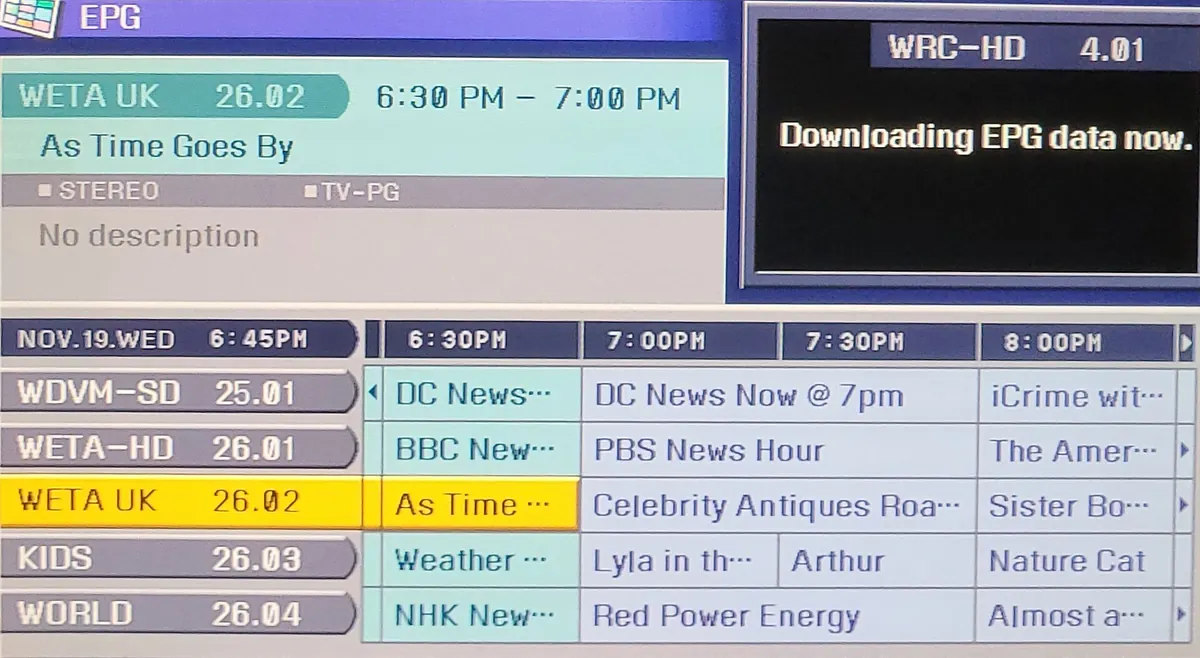
Guide data usually travels separately as an XMLTV file. With M3U playlists, the guide address may appear in the playlist header or be supplied as a separate link. With Xtream logins, players often fetch the guide automatically. Portal boxes receive guide data through the portal. If guide information is missing, check how your format delivers it.
Converting between formats
Some players can export a playlist in another format, and some services provide both Xtream and M3U for the same account. Converting manually is rarely needed; ask your provider for the format your player supports instead. Avoid third-party conversion websites that ask for your login.
Which formats suit which devices
| Device | Common formats |
|---|---|
| Computers | M3U, XSPF, single HLS links |
| Android TV and Fire TV | M3U and Xtream in IPTV players |
| Apple devices | M3U and Xtream in compatible players |
| Smart TVs | M3U via web-upload players; some Xtream |
| Linux-based boxes | Portals or M3U |
Privacy with every format
M3U links and Xtream logins usually contain your credentials. Portal access is tied to your box identifier. Keep all of them private, avoid posting screenshots and ask your provider to change details if they leak.
Updating when details change
If your provider changes server details, Xtream logins need the new address; M3U users need the new link. Keep the current details in a password manager so every device can be updated quickly.
Common mistakes
- Treating an HLS .m3u8 stream as a full channel list.
- Entering an Xtream login into a player that only accepts M3U.
- Saving edited M3U files in the wrong encoding.
- Sharing playlists or logins publicly.
A worked example
A viewer receives both an M3U link and Xtream details. In VLC on their laptop they use the M3U link; on their Fire TV player they use the Xtream login, which loads films, series and the guide in separate sections. Both use the same subscription.
Checklist
- Identify which format you have.
- Check your player supports it.
- Prefer Xtream in IPTV players where available.
- Use M3U for general media players.
- Keep links and logins private.
Key terms
- M3U: a text playlist format.
- HLS: HTTP Live Streaming, using .m3u8 segment playlists.
- XSPF: an XML-based playlist format.
- Portal: a server-side interface for compatible boxes.
Monster IPTV formats
Monster IPTV provides login details in formats suited to common players. Support can advise which to use on your device; see the supported devices page.
Quick reference
M3U for lists, .m3u8 for single streams or UTF-8 lists, Xtream for organised IPTV players, portals for compatible boxes.
Asking your provider
If you are unsure which format you received, ask your provider which players they recommend for your device and which format to use. Support can often send details in a more suitable format.
Testing a new format
Test any new link or login on a phone or computer before loading it on the TV.
Frequently asked questions
What playlist IPTV format is most common?
M3U playlists and Xtream-style logins.
Is every .m3u8 address a full channel list?
No. A .m3u8 address can be a UTF-8 channel list or a single HLS stream for one channel.
Is Xtream better than M3U?
In IPTV players it often organises content better; M3U is more universal.
Can VLC use Xtream logins?
VLC uses M3U links and files rather than Xtream logins.
What is portal access?
A server-side interface used by some set-top boxes.
Summary
Playlist IPTV formats include M3U, HLS .m3u8 streams, XSPF, Xtream logins and portals. Identify what you have, match it to a compatible player and keep your links and logins private.