People search for lux iptv for a few reasons: they have seen the name advertised, a friend mentioned it, or they want a "luxury" or premium-quality streaming service. Words like lux, premium, gold or ultra are popular in service names because they suggest quality. But a name is branding, not evidence. Monster IPTV is not affiliated with any service using the lux name, and we have no independent information about any such service.
This guide shows you how to look past premium-sounding names and judge the real quality of any service yourself.
Branding versus measurable quality
| Branding says | What you can actually check |
|---|---|
| "Luxury" or "premium" | Picture quality on your own TV during a trial |
| "Fastest servers" | Whether streams start quickly and stay stable in the evening |
| "Thousands of channels" | Whether the specific channels you watch are included and working |
| "Best support" | How quickly and helpfully support answers a real question |
Anything you cannot test or verify should carry little weight in your decision.
How to test service quality yourself
1. Use a free trial or short plan
Testing is the only reliable way to judge quality. A trial lets you check performance on your own network and devices. Our free trial guide explains how to plan a useful test.
2. Watch at peak times
Many services perform well in the afternoon and struggle in the evening or during big sports events. Test when you normally watch.
3. Check picture and sound
- Is the resolution what the plan describes?
- Does fast motion, such as sport, stay smooth?
- Are audio and video in sync?
4. Check the guide and extras
Does the programme guide load and match the channels? If catch-up or films are offered, do they play reliably?
5. Contact support
Ask a simple setup question. A clear, polite reply within a reasonable time is a good sign.
Separating service problems from home problems
Before blaming a service for buffering, rule out your own setup:
- Connect the TV or box by Ethernet rather than Wi-Fi.
- Restart your router and device.
- Pause large downloads on other devices.
- Try a different player app.
If problems disappear on a wired connection, the issue is likely your Wi-Fi. If they persist at all times, the service may be the cause. Our IPTV stream guide covers the full process.
Reading plan terms
Premium branding sometimes hides ordinary or unclear terms. Check:
- Plan length and exact price.
- How many devices can play at the same time.
- Renewal and cancellation rules.
- Refund conditions.
- Which apps and devices are supported.
Red flags behind premium names
- High prices with no trial.
- Promises that cannot be checked, such as perfect uptime.
- No operator name or contact details.
- Premium sports and film channels at prices far below official services, which may indicate missing rights and legal risks.
- Apps offered only from unofficial download sites.
A simple trial scorecard
Writing down what you see during a trial makes comparisons fairer, especially if you test more than one service. A simple scorecard might look like this:
| Test | What to note |
|---|---|
| Start time | How many seconds before a channel plays |
| Evening stability | Number of pauses during a one-hour programme |
| Live sport | Smoothness of fast motion and any freezes |
| Guide | Whether listings match what is on screen |
| Support | Time to first reply and how useful it was |
| Apps | Whether it works in the player you prefer |
Score each item from one to five on the same device and connection. After two or three evenings, the numbers tell you more than any premium-sounding name, whether you are judging lux iptv or anything else.
Devices matter too
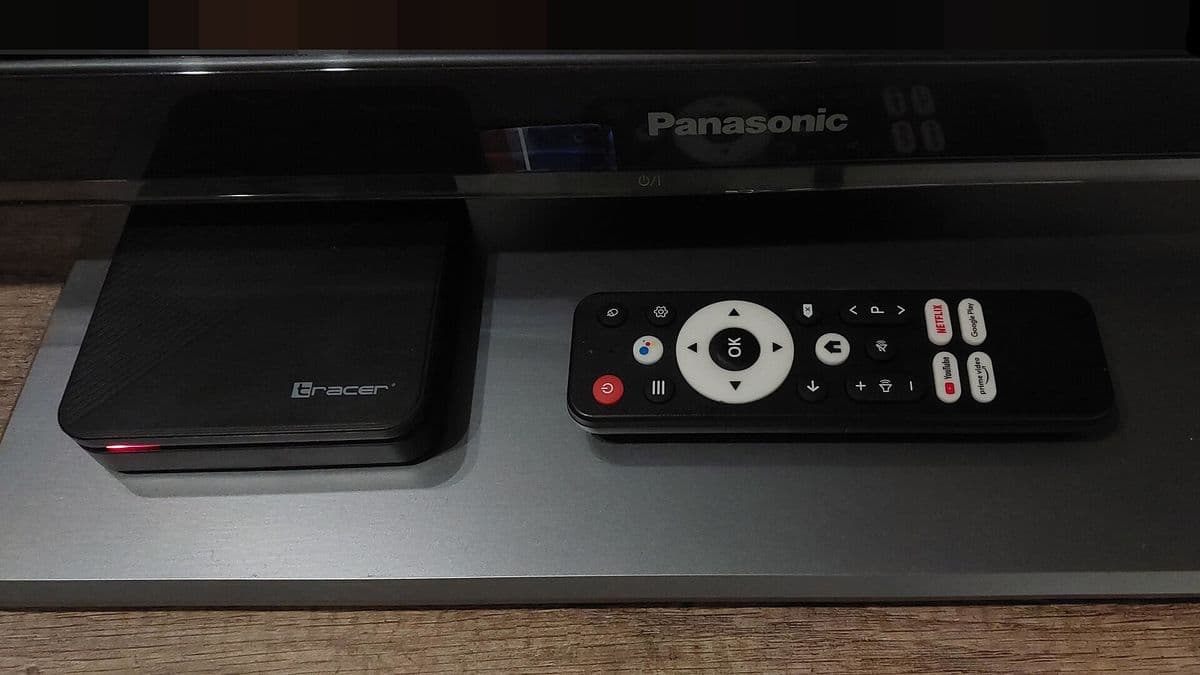
Even a good service can look poor on a weak device. Older streaming sticks may struggle with high bitrates or HEVC video, and some smart TV apps are slower than apps on a dedicated box. If you have more than one device, test on each. A recent Android TV box or streaming stick connected by cable usually gives the fairest picture of what a service can deliver.
Is a higher price a sign of quality?
Not necessarily. Price is set by the seller and does not prove better servers or support. Compare what you can test: stability at peak times, picture quality, support response and clear terms. Our best IPTV service guide explains how to compare fairly.
Common mistakes
- Choosing a service because its name sounds premium.
- Testing only once, in the afternoon.
- Blaming the service for Wi-Fi problems.
- Paying for a long plan before testing.
A worked example
A viewer is drawn to a service with "lux" in its name. Before paying, they ask for a trial. They test it on an Android TV box connected by cable on two evenings, including during a football match. The stream buffers repeatedly at peak time even on the wired connection, so they decide not to subscribe and test another service instead.
Checklist
- Ignore branding; test the service.
- Watch at peak times.
- Rule out home network issues.
- Read the plan terms carefully.
- Walk away from red flags.
Key terms
- Peak time: the busiest viewing hours, usually evenings and big events.
- Trial: a short free or low-cost period to test a service.
- Simultaneous devices: how many devices can play at once on one plan.
About Monster IPTV
Monster IPTV offers a free trial so you can test performance on your own devices before choosing a plan. Plans run from one to twelve months for one to five devices. See pricing and how it works.
Frequently asked questions
Is lux iptv affiliated with Monster IPTV?
No. Monster IPTV has no affiliation with any service using the lux name.
How do I test streaming quality?
Use a trial, watch at peak times on a wired connection and check picture, sound, guide and support.
Does a higher price mean better quality?
Not necessarily. Compare what you can test rather than the price or the name.
What if my stream buffers during a trial?
Rule out your home network first with a cable and a router restart. If buffering continues, the service may be the cause.
Summary
Names like lux iptv are branding, not evidence of quality. Test any service yourself with a trial at peak times, rule out home network issues, read the plan terms and walk away from red flags. Quality you can see on your own TV matters more than any name.