Choosing the right IPTV HDMI encoder is only half the job. How you install it decides whether it runs quietly for years or causes intermittent faults that are hard to trace. Mounting, power, ventilation, cabling, network placement and security all matter, and each is easy to get right with a little planning.
This guide covers the physical and network side of installing an IPTV HDMI encoder, from the first screw to locking down the web interface.
Choosing where the encoder lives
| Location | Pros | Cons |
|---|---|---|
| Next to the source | Short HDMI cable, simple | Exposed to tampering and heat |
| In an AV cabinet | Protected, tidy | Needs ventilation |
| In a central equipment room | Easy management, power backup | Needs HDMI extension from sources |
For a single classroom or meeting room, a compact encoder near the source is fine. For several sources, a central rack with HDMI extenders keeps everything manageable.
Mounting
- Compact boxes: use the manufacturer's brackets or a shelf; avoid leaving them loose on the floor.
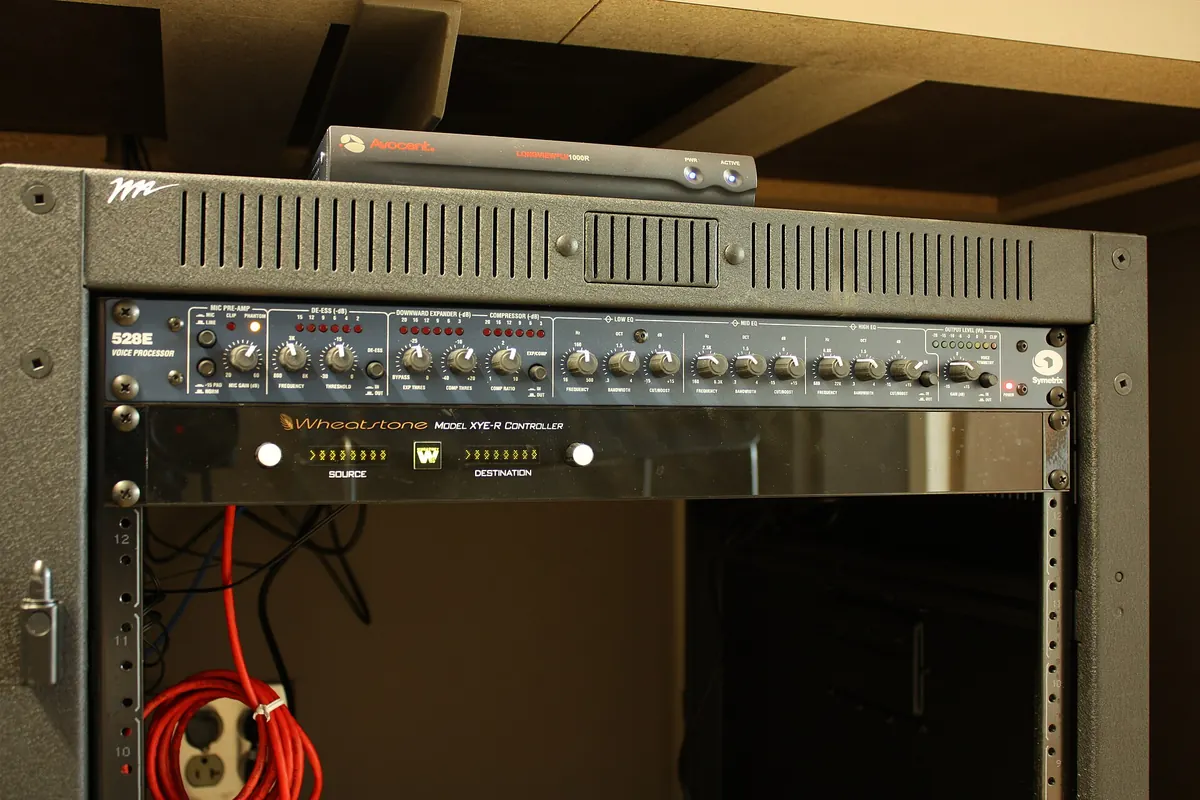
- Rack units: fit them in a 19-inch rack with rails or support brackets for heavier units.
- Labelling: label the front and rear with the encoder's name, IP address and the channels it carries.
Power
PoE
Many compact encoders accept Power over Ethernet. Check the encoder's power class and make sure the switch port supplies it. PoE simplifies cabling and lets you restart a unit remotely by cycling the port.
Mains power
Use a surge-protected supply, and in critical systems connect equipment-room gear to a UPS (uninterruptible power supply) so brief outages do not drop channels.
Dual power
Some rack encoders accept two power supplies. Connect them to different circuits for resilience.
Ventilation and temperature
Encoders work hard and produce heat. Leave space around vents, avoid stacking units directly on top of each other without spacing, and check the operating temperature range on the datasheet. Overheating often shows up as random restarts or stream dropouts, which are easily mistaken for network problems.
Cabling
- Keep HDMI runs short and use certified cables; use extenders for distances beyond a few metres.
- Use good-quality Ethernet patch cables and avoid tight bends.
- Dress cables with ties or velcro so they are not pulled when equipment is moved.
- Leave a little slack for maintenance.
Network placement
- Connect the encoder to a switch that supports IGMP snooping for multicast.
- Place video on its own VLAN where possible, separate from guest Wi-Fi and office traffic.
- Give the encoder a static IP address or a DHCP reservation.
- Check uplink capacity between switches if streams cross floors or buildings.
Securing the IPTV HDMI encoder
Encoders are network devices and deserve the same care as any other:
- Change the default admin password immediately.
- Update firmware to fix known vulnerabilities.
- Restrict management access to an admin VLAN or specific IP addresses.
- Disable unused services, such as protocols or remote access features you do not need.
- Never expose the web interface directly to the internet. Use a VPN for remote management.
- Use secure protocols such as HTTPS for management and RTMPS or SRT encryption for streams sent over the internet.
Documentation
Record each encoder's location, IP address, inputs, stream addresses, settings and firmware version. Store a backup of its configuration. When a unit fails, this information turns a stressful outage into a quick swap.
Commissioning checklist
- Mounted securely with ventilation.
- Power connected, PoE class confirmed or UPS in place.
- HDMI and network cables tested and labelled.
- Static IP set and default password changed.
- Firmware updated.
- Streams tested on real receivers.
- Configuration backed up and documented.
A worked example
A conference centre installs six encoders in a central rack, fed by HDMI extenders from meeting rooms. During the first busy week, two units restart at random. The cause turns out to be heat: the units were stacked without spacing in a closed cabinet. Adding rack spacing and a cabinet fan solves the problem. A second issue appears when a contractor's laptop on the guest network finds the encoders' web pages. Moving management to an admin VLAN and changing default passwords closes that gap.
Related guides
Read our IPTV encoder HDMI inputs guide for the source side, the HDMI IPTV encoder guide for choosing hardware, and our article on the IPTV headend if your encoders feed a building-wide TV system.
Key terms
- UPS: uninterruptible power supply that bridges short outages.
- VLAN: a virtual network segment that separates traffic.
- IGMP snooping: switch feature that sends multicast only where requested.
Maintenance routine
Every few months, check each encoder's firmware version against the manufacturer's latest release, look at uptime and error counters, confirm that ventilation is clear of dust, and test a stream on a real receiver. After any network change, such as a new switch or VLAN, retest multicast before users notice a problem. Keep a spare power supply and patch cable on hand for quick swaps.
Planning for replacement
Hardware eventually fails or becomes outdated. Choosing models from a range with consistent settings and configuration backups makes replacement straightforward: restore the configuration, set the same IP address and the system carries on.
Frequently asked questions
Can I power an IPTV HDMI encoder with PoE?
Many compact models support PoE. Check the power class on the datasheet and that your switch port supplies it.
Where is the best place to install an IPTV HDMI encoder?
Near the source for single-room setups, or in a central equipment room with HDMI extenders for larger systems.
Should the encoder be on a separate VLAN?
Ideally, yes. Separating video traffic improves performance and security.
How do I manage the encoder remotely?
Use a VPN into your network and restrict management access to trusted addresses. Avoid exposing the web interface to the internet.
Why does my encoder restart randomly?
Overheating and unstable power are common causes. Check ventilation, the power supply and the PoE budget on the switch.
Summary
A well-installed IPTV HDMI encoder is mounted securely, powered reliably, cooled properly, cabled neatly, placed on the right network segment and locked down against unauthorised access. Document everything so maintenance is quick and painless.